Field notes
From click to ticket: how a Bugpot bug report is built
5 min readThe Bugpot team
The gap between "a visitor saw a bug" and "a developer can fix it" is where most feedback tools quietly fail. This post walks through what Bugpot does in that gap, using a real bug report filed on our live demo shop. Nothing here is mocked up; you can reproduce every screenshot yourself in the demo.
The click
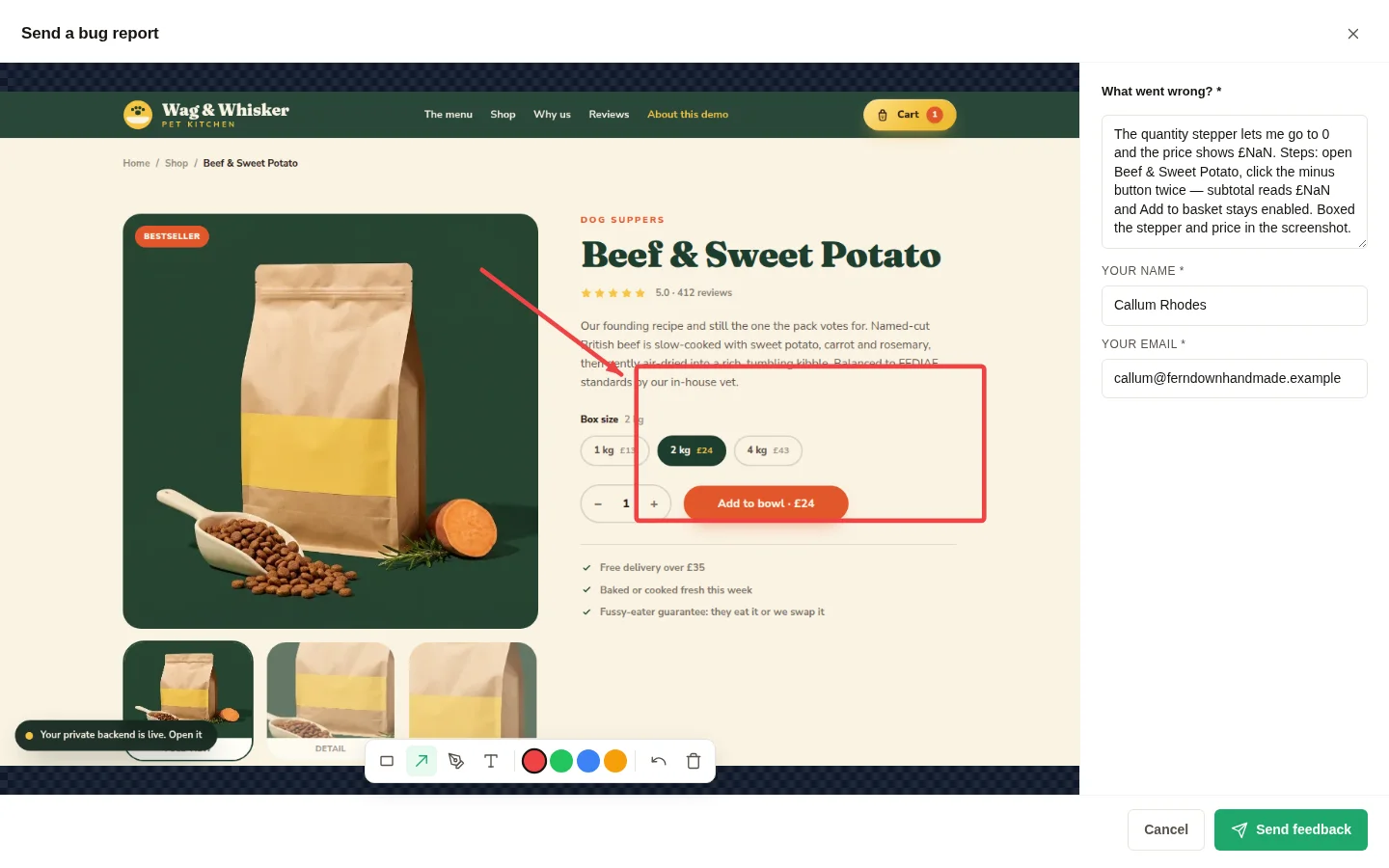
A visitor spots a broken quantity stepper on a product page. They click the feedback button and pick a type: Bug, Comment or Idea. That one choice matters more than it looks. It routes the report before anyone has read it, and it stops your inbox becoming a single undifferentiated pile.
The screenshot is a capture, not an upload
Bugpot captures the page exactly as the reporter sees it, in their browser, at their viewport size. This is not "please attach a screenshot". There is no file picker, no phone photo of a monitor, no cropped image with the URL bar missing. The capture happens in the page, so it shows the broken state precisely as rendered.
Annotations that point at the problem
The reporter then gets four tools: rectangle, arrow, freehand draw, and text. In practice most people box the broken element and add one arrow. That is enough. A red rectangle around a price reading £NaN says more than a paragraph.
What gets attached without being asked for
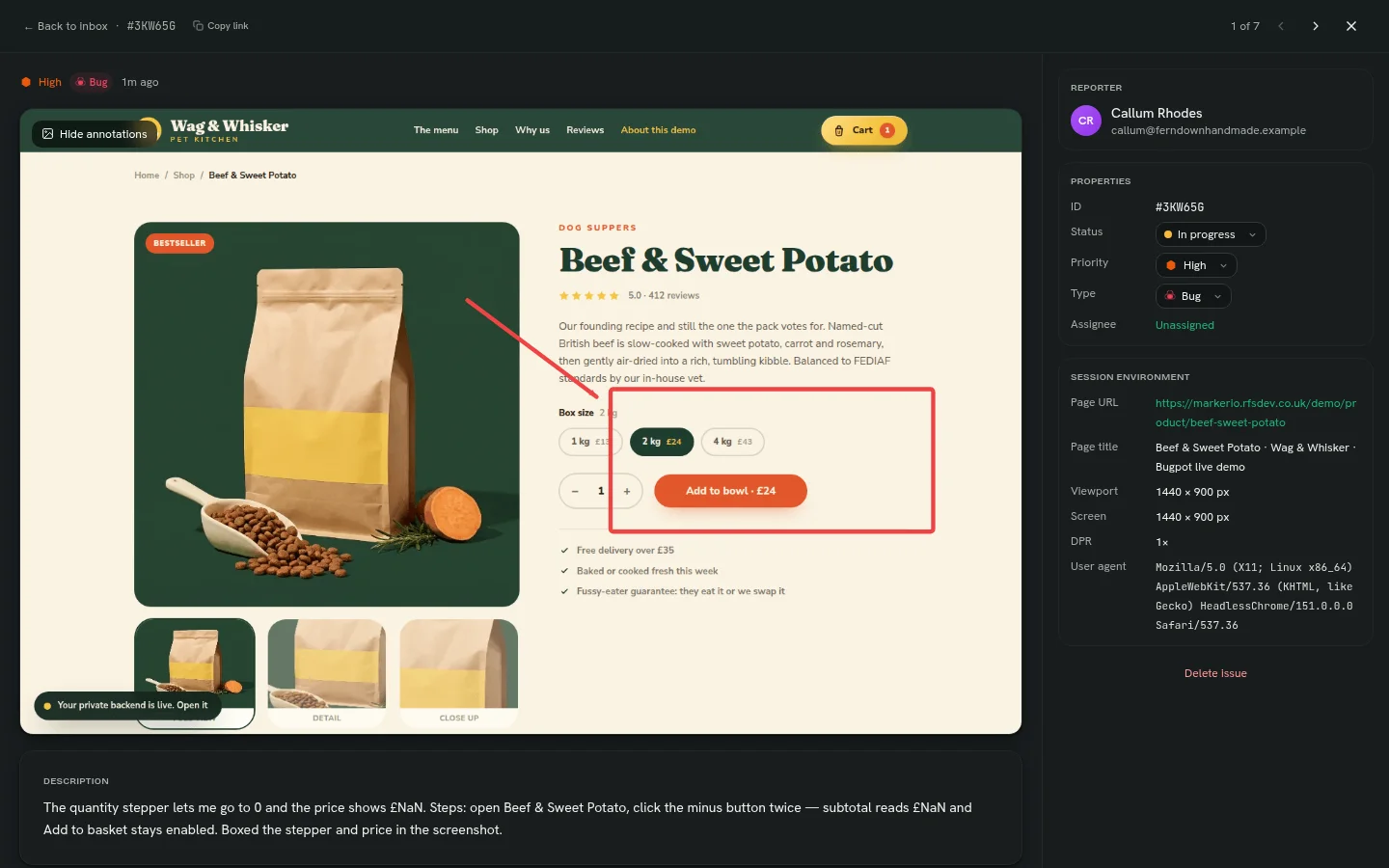
While the reporter types their description, Bugpot collects the context a developer needs and a reporter cannot supply. The page URL and title. Viewport and screen size. Device pixel ratio. Browser and operating system. The last console errors and failed network requests. Reporters never see a form asking for any of it, because the browser already knows.
“The reporter answers one question: what went wrong? The tool answers the other nine.”
The ticket a developer opens
Here is the same report from the dashboard side. Annotated screenshot, reporter details, status, priority, and the session environment in one panel. A developer can decide what to do with this in under a minute, and reproduce it without sending a single follow-up email.
That is the whole pipeline. One click, one drawing, one sentence from the reporter. The bug report arrives ready to work on, which is the point of collecting feedback in the first place.